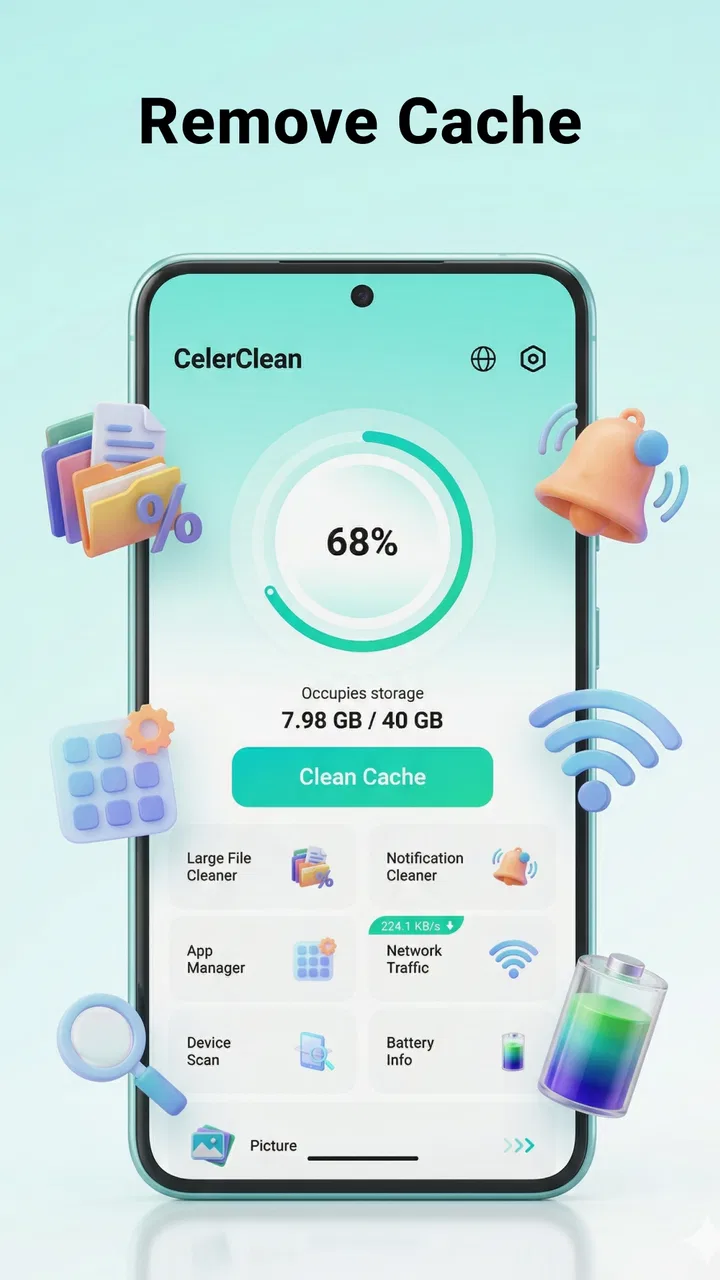
CelerClean: Cleanup Tools
- 4.6
- Rating
- 500.00K
- Installs
- Free
- Price

 Analysis by App-foxy
I approached CelerClean as the kind of utility I would open when my phone starts feeling crowded rather than as an app I would keep browsing every day. Its purpose is straightforward: help manage storage, identify large files, and bring some order to installed apps. That sounds simple, but the value of a cleanup tool depends less on flashy presentation and more on whether it helps me make safe decisions without turning a basic task into a chore.
In that respect, this Android tools app has a clear audience. If your device regularly fills up with downloaded videos, forgotten documents, duplicate-looking media, or apps you no longer use, CelerClean gives you a dedicated place to review that clutter. It is free, rated for Everyone, and comes from Online Radio & Music Apps. The current release is version 1.0.0, and it supports Android 7.0 and later, which makes it relevant to people using older phones as well as newer models.
My overall impression is that CelerClean is most useful as a decision-making assistant, not as a magic speed button. Clearing space can make a phone easier to live with, especially when storage pressure is causing failed downloads or leaving no room for photos. However, I would not install it expecting every performance problem to disappear after one tap. The strongest reason to try it is organization: it helps turn an unclear storage problem into a list of things I can inspect and handle.
You May Also Like

 Blood Strike: 2.5 Anniversary
Blood Strike’s Loadouts Turn Every Drop Into a Tactical Gamble
A close look at Blood Strike’s custom loadouts: how fast access to signature weapons reshapes its battle royale rhythm, rewards preparation, and narrows the gap between fights.

 Pandora - Music & Podcasts
Pandora’s Music Is Easy to Start, but Harder to Recover
Pandora’s strength is its low-effort path from a seed to a station. Its weak spot is how much confidence it asks you to place in connection, setup, and quiet recovery.

 8 Ball Pool
 Is Built on Rivalries, Rematches, and Routine
A close look at the rivalries, rematches, shared routines, and unanswered safety questions that turn a quick pool match into a persistent mobile community.

 Samsung Music
’s Quiet Strength Is Playing What You Already Own
Its reach comes less from spectacle than from dependable access to a personal library. That simplicity is both the app’s strongest retention engine and its ceiling.

 AccuWeather: Weather Radar
AccuWeather Review: A Quick, Clear Forecast for Everyday Decisions
For everyday plans, the best forecast is the one you can understand quickly. AccuWeather makes rain timing, radar, and local conditions easy to act on, with a few trade-offs.

 Hill Climb Racing
Why Hill Climb Racing Still Turns Crashes Into One More Run
A tiny car, a bumpy hill and one more upgrade: Hill Climb Racing keeps resurfacing because its simple chaos makes every near-miss feel personal.
More From Our News Desk



How CelerClean feels during real storage cleanup
I find the most useful way to approach a storage cleanup is to decide what I’m trying to make room for before I start removing anything. With CelerClean, I’d use that goal to guide the review—whether it’s keeping space available for photos or clearing out old downloads—then move on to a deliberate check of the files and apps that could help.
Speed expectations before the first cleanup
The first thing I would keep in mind is that a storage manager has to examine what is already on the phone before it can be useful. That means the initial experience may depend heavily on how much content the device holds and how scattered that content is. A lightly used phone should present a simpler task, while a device packed with years of media and unused applications naturally gives the tool more to sort through.
I would judge the app’s speed by how quickly it helps me reach a sensible decision, not only by how quickly a screen appears. A fast scan that leaves me unsure what can be removed is less valuable than a slightly slower review that groups large files in a way I can understand. CelerClean’s focus on storage, large files, and app organization gives it a practical workflow: find where the space is going, inspect the candidates, and then decide what deserves to stay.
That distinction matters because many people use the word “cleanup” to mean several different things. They may want more free space, fewer forgotten apps, a clearer file collection, or a phone that feels less overwhelmed. These are related problems, but they are not identical. CelerClean is better suited to the first three than to vague expectations about making every part of Android instantly faster.
The useful speed gain is often reduced searching. Instead of opening a file manager, checking several folders, switching to system settings, and trying to remember which apps have been ignored, I can use one tool as a starting point. That does not remove the need for judgment, but it can shorten the path from “something is taking up space” to “I know what I want to review.”
A practical scenario: preparing for a trip
Imagine I am leaving for a trip and want room for offline maps, photos, and a few entertainment downloads. Waiting until the device refuses a download would be a poor plan. I would open CelerClean beforehand and begin with the largest files rather than deleting random small items. A large old video can matter more than dozens of tiny documents, and reviewing by size helps me focus on changes that are likely to make a noticeable difference.
Next, I would look at installed apps. Travel preparation is a good moment to notice games, shopping apps, or one-time services that I installed for a previous occasion but no longer need. The important trade-off is that removing an app can free meaningful space, but it may also remove locally stored information or require another sign-in later. I would only uninstall something after checking whether I might need its offline content or account access during the trip.
Finally, I would leave a cushion rather than filling the newly available space immediately. A cleanup session is more successful when it creates breathing room for upcoming use. If I delete files only to replace them with new downloads minutes later, I have completed a task without solving the underlying habit. CelerClean is helpful here because its storage-oriented purpose encourages me to see the phone as a collection of competing space demands.
What happens during heavier cleanup sessions
The more demanding moment is not necessarily deleting one large item. It is reviewing a long collection of possible candidates without making a careless choice. A phone used for messaging, photography, streaming, work, and games can accumulate many files that look unimportant at a glance but are still needed. A cleanup utility has to be treated as a review surface, not an automatic permission slip.
I would work in short passes. First, I would examine the biggest files. Then I would switch to apps and consider what I have not opened recently. Between each pass, I would check the available storage again through the phone’s normal settings or the app’s own presentation, if shown. This staged approach makes it easier to notice whether a decision had the effect I expected and reduces the chance of deleting a large group of items simply because the screen feels busy.
One useful, non-obvious habit is to separate “replaceable” from “irreplaceable” content before cleaning. Downloaded entertainment is usually easier to obtain again than personal photos, exported documents, or recordings. I would therefore handle large files in that order: review replaceable downloads first, then examine personal material with more caution. The app can help me locate space-heavy content, but only I can decide its emotional or practical value.
Another trade-off appears with apps. Removing an unused app may recover space, but keeping it may preserve settings, saved progress, or a service I will need unexpectedly. I would use CelerClean to identify candidates, then ask myself whether the app is genuinely dormant or merely seasonal. A language-learning app used only before travel, for example, may look disposable until the next trip begins.
For that reason, I would not run a broad cleanup while tired, distracted, or rushing to solve an urgent storage warning. The best time is earlier, when I can open large files and recognize what they are. This is a simple workflow improvement, but it is more important than chasing a theoretical performance boost.
Reliability means confidence in what I am reviewing
With a tool that touches personal storage, reliability is about more than whether the app opens. I want the information it presents to be understandable, the actions to feel deliberate, and the result to be easy to verify. CelerClean’s job is most convincing when it helps me inspect storage and app clutter without encouraging blind deletion.
I would still keep the phone’s normal file manager and system settings available as a second viewpoint. That is not a criticism unique to this app; it is sensible practice for any cleanup utility. If a file has an unclear name, I would open or locate it through the regular system tools before removing it. If an app contains important offline data, I would check inside that app first. CelerClean can narrow the search, while the operating system remains the final reference for what is installed and stored.
The app’s early version also affects how I would approach it. Version 1.0.0 suggests a starting point rather than a long-established maintenance history, so I would be methodical with valuable files and avoid treating any cleanup tool as infallible. That does not make it unsuitable; it simply means my trust would grow through repeated, predictable use rather than through one dramatic cleanup session.
Recovery is another part of reliability. Before deleting anything important, I would make sure irreplaceable photos and documents exist somewhere safe outside the phone. A cleanup app can help identify large items, but it should not replace backups. If I accidentally remove something, the best recovery plan is one I prepared before opening the cleaner, not a promise that a deleted file will always be recoverable.
I also appreciate that the app is aimed at Everyone. That makes its basic purpose approachable for a broad range of users, including someone who is not comfortable navigating Android storage menus. Still, an Everyone rating should not be confused with “no attention required.” A child, older relative, or less technical user may understand the interface but still need guidance about personal photos, school files, or downloaded documents.
Device constraints and the phones that benefit most
CelerClean supports Android 7.0 and later, so it is not limited to the newest devices. That broad compatibility matters because older phones are often the ones most affected by tight storage. They may have less internal room to begin with, and their owners may be more likely to keep the same apps and media for a long time.
On an older device, I would use the app with realistic expectations. Freeing space can make room for updates and new downloads, but it cannot turn older hardware into a current flagship. If the real issue is a weak battery, limited memory, an aging processor, or a demanding app, storage cleanup may only address one part of the problem. CelerClean is the right tool when the constraint is accumulated content; it is not a complete diagnosis of every phone slowdown.
There is also a practical resource trade-off. A cleanup app needs some working room to inspect and organize information, so I would not wait until the phone has almost no free space at all. When storage is critically low, any additional task can feel difficult, and the phone may behave unpredictably for reasons unrelated to the cleaner itself. Running a review while there is still a little breathing room should produce a calmer experience.
On a newer phone with generous storage, CelerClean may be less essential. The system’s built-in storage view and a careful file manager may already be enough for occasional maintenance. In that situation, the app’s value comes from convenience and centralization rather than necessity. I would recommend it more readily to someone who repeatedly loses track of large files and installed apps than to someone whose device is already tidy.
People who depend on specialized file-management features, detailed backup controls, or advanced automation may prefer a more established alternative in those areas. CelerClean’s appeal is its focused cleanup role. If I wanted a full document workflow, cloud synchronization, archive handling, and fine-grained file operations in one place, I would look beyond a simple storage organizer.
How it compares with Android’s built-in tools
Android already provides storage controls, and those controls remain important. They are integrated into the operating system, familiar to many users, and a natural place to check app storage or system space. For a person who only needs occasional inspection, the built-in route may be enough and avoids adding another utility.
CelerClean makes more sense when I want a dedicated cleanup mindset. Instead of treating storage as one settings page among many, I can open a tool specifically for finding large files and organizing applications. That focus may help users who understand that their phone is full but do not know where to begin. The advantage is not necessarily that it replaces Android’s controls; it is that it gives the cleanup task its own starting point.
Compared with a general file manager, the distinction is similar. A file manager offers broader control and may be better for moving, renaming, sorting, or opening files across folders. CelerClean is more approachable when my question is simply, “What is taking up room, and which apps should I reconsider?” If I need precise folder-level management, I would choose the file manager. If I need a guided inspection of clutter, I would start here.
Compared with aggressive “phone booster” utilities, I prefer the narrower purpose. Promises about instant acceleration can distract from the real cause of a full device. A storage-focused tool encourages a more measurable goal: remove or relocate content, then see whether the phone has enough room for what I actually need. That is a healthier way to think about maintenance.
Who should install it and who should skip it
I would recommend CelerClean to someone who frequently receives low-storage warnings, keeps large downloads for too long, or has a long list of apps that no longer serve a purpose. It is also a reasonable choice for owners of older Android phones who want a simpler way to review space before updates or travel. The free price lowers the barrier to testing that workflow, and the broad age rating makes its basic purpose easy to share with family members.
I would be more cautious about recommending it to a person who already has a disciplined file system, checks Android’s storage screen regularly, and rarely installs large apps or downloads media. For that user, another utility may add little beyond a second place to perform the same checks. I would also steer away from using it as the sole solution for a phone that is slow for reasons unrelated to storage.
Users with very sensitive files should take the conservative route: review names and locations, preserve backups, and remove only what they can identify. The app’s usefulness increases when I use it as an organized checklist rather than handing over every decision. That approach may sound slower, but it is exactly what prevents a successful space-saving session from becoming a data-recovery problem.
My performance verdict after weighing the trade-offs
CelerClean succeeds because it gives a common Android problem a clear shape. Storage pressure is frustrating when it appears as a vague warning, but it becomes manageable when I can look at large files and installed apps as separate decisions. The app’s practical focus is more convincing to me than a broad promise to optimize everything.
I would describe its perceived speed as task-dependent. A small, lightly used phone should be easier to review than a device filled with years of content, and any cleanup session becomes slower when I inspect files carefully. That is not wasted time; it is the protection that makes the process useful. The app can shorten discovery, but safe deletion still depends on the person holding the phone.
Its stability should also be judged through repeatable habits rather than one rushed test. I would use it before storage becomes critical, verify important items with Android’s own tools, and keep backups of anything irreplaceable. Those steps make the app more dependable in practice and reduce the consequences of an incorrect decision.
With an average rating of 4.6 from around 1.9 thousand ratings and more than 500 thousand installs, CelerClean has already attracted meaningful interest, but those figures would not change my basic advice: try it for organization, not miracles. I see it as a useful companion for finding space and reviewing neglected apps, especially on devices where storage is a daily concern.
My final recommendation is therefore positive but measured. If your phone feels crowded and you want a focused, free tool to begin sorting the problem, CelerClean is worth trying. Start with the largest replaceable files, treat app removal as a separate decision, and leave some free room after cleaning. If you need advanced file management, comprehensive backup tools, or a cure for hardware-related slowness, Android’s built-in controls or a more specialized alternative will probably suit you better.
FAQs for CelerClean: Cleanup Tools
01What is CelerClean and how does it work?
CelerClean is a powerful cleaning tool designed to optimize your device's performance by removing junk files, clearing cache, and managing storage. It scans your device for unnecessary files that can be safely deleted without impacting your personal data or important system files, thereby enhancing speed and efficiency.
02Is CelerClean safe to use on my device?
Yes, CelerClean is safe to use. It is designed to target only files that are considered junk or redundant. The app ensures that it does not delete essential system files or personal data. Always download from official app stores to ensure you're getting the legitimate version.
03Does CelerClean improve battery life?
While CelerClean primarily focuses on cleaning and optimizing storage, it can indirectly improve battery life by closing background apps and processes that consume power. By reducing unnecessary load on your device, it helps maintain efficiency, potentially leading to longer battery life.
04How often should I use CelerClean?
The frequency of use depends on how much you use your device. For optimal performance, it's recommended to run CelerClean at least once a week. Regular use helps keep your device clutter-free and ensures it operates at peak efficiency by continuously removing accumulated junk.
05Does CelerClean have any premium features?
Yes, CelerClean offers premium features for users seeking advanced tools. These may include deeper cleaning options, faster performance, and additional privacy protections. While the basic app is free, upgrading to premium provides a more comprehensive cleaning experience.
Pros
- Efficient junk file removal
- Intuitive user interface
- Boosts device performance
- Small app size
- Regular updates
Cons
- Contains ads in free version
- Limited features without premium
- Occasional notifications can be intrusive
- May not support all file types
- Requires internet for some features

CelerClean: Cleanup Tools
Gallery